
Cross-Play FreeStyle Football 2
Cross-platform complet entre Xbox, PS5 et Steam — et pourquoi la région du chef de groupe détermine le matchmaking de tous.
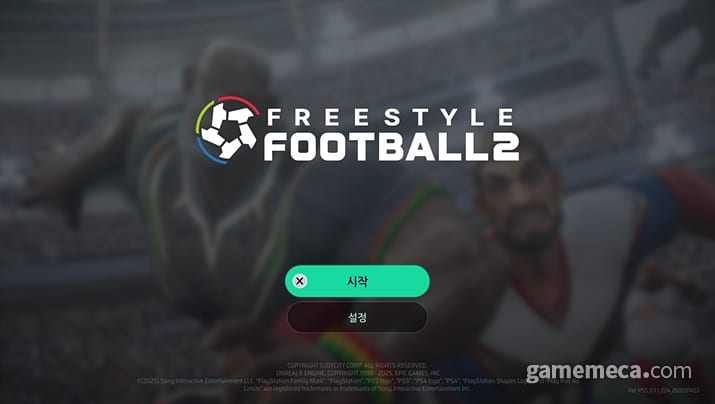
FreeStyle Football 2 supports full cross-platform play. Xbox, PlayStation 5, and Steam players share the same matchmaking pool within a region. If you are on Xbox in North America and your friend is on PlayStation 5 in North America, you can party up and play together. If your party leader is in Europe, the whole party matches into European servers regardless of where individual members are sitting physically.
This page covers how cross-play works in practice, what platform account linking means for your progression, how party region rules affect latency, and what cross-play does not change. For platform-specific questions, use System Requirements and Editions. For the support FAQ with platform-specific login details, check the Official Links Hub.
What cross-play actually means
The official support page is direct: “Yes, full cross-platform play is supported across all platforms, including Xbox, PlayStation 5, and Steam. No matter which platform you choose, you can team up and play with your friends.”
Full cross-play means:
- One unified matchmaking pool per region — Xbox, PS5, and Steam players all in the same queue
- Cross-platform parties are fully supported — invite friends from any platform
- Cross-platform progression should carry across platforms — check the official FAQ for account linking specifics
- No opt-out — all players in a region play together regardless of platform
The practical effect is a larger player pool than any single platform could sustain alone. During Prime OBT (4–8 September 2026), combined platform traffic means shorter queue times and more balanced matches than any individual platform would see.
The party leader’s region rule
The single most important cross-play rule: matchmaking server is based on the party leader’s region, not the individual player’s region.
Official FAQ states: “Please note, however, that the matchmaking server will be based on the party leader’s region, and you may experience latency depending on your network conditions.”
What this means in practice:
- If your party leader is on Xbox in the United States, European party members will play on US servers
- Latency for non-leader party members depends on their connection to the leader’s region
- Cross-region friend groups should designate the player with the best connection to the target region as the party leader
- This rule cannot be overridden — there is no way to force the matchmaker to use a different region
Testing recommendation for Prime OBT: before your first cross-region session, test ping with different party leaders and note which arrangement gives the lowest average latency for your group.
Platform account linking
Cross-platform progression requires linking your platform account to the game’s account system. The exact linking process varies by platform:
- Xbox — uses your Microsoft account linked to Xbox Game Pass or your Xbox profile
- PlayStation 5 — uses your PlayStation Network account
- Steam — uses your Steam account
The linking requirement means your progress, cosmetics, and character unlocks carry across platforms if you link them to the same game account. Check the official support FAQ for the exact linking steps before Prime OBT.
If you are starting FreeStyle Football 2 on a new platform without linking to an existing account, your progress may start fresh on that platform. Link before you play if you want to carry your wishlist rewards and any unlocked content.
What cross-play does not change
Cross-play solves the matchmaking pool problem but does not affect:
- Latency to the matchmaking server — you still connect to the region the matchmaker chooses (party leader’s region for parties, your local region for solo queue)
- Platform-specific content — some platform-exclusive cosmetics may exist; check the official site for details
- Input methods — PC supports keyboard and controller, but cross-play does not give console players keyboard support or PC players console-specific bindings
- Platform availability — the game is not available on every platform, only PS5, Xbox Series, Xbox PC, and Steam
Region and server structure
FreeStyle Football 2 uses automatic region selection for solo players. The game picks the server with the lowest expected latency based on your account location. You cannot manually override this.
The server regions align with major gaming regions:
- Americas — covers North America and South America
- Europe — covers Western and Eastern Europe
- Asia — covers East Asia and Southeast Asia
If you are in a region without nearby servers — for example, South America after June 17th when Brazil matchmaking reportedly became unavailable — you will connect to the nearest active region with higher latency.
Cross-play and the competitive implications
Full cross-play has competitive implications that differ from platform-exclusive games:
Larger skill pool — you face the full range of player skill across all platforms, not just your platform’s population Input method diversity — console controller players and PC keyboard-mouse players occupy the same matches; both are viable Communication differences — cross-platform voice chat may vary by platform; test your platform’s party chat before ranked play
The studio’s stated design goal is that input method does not determine competitive viability. PC keyboard-mouse and controller players compete in the same queues. If you are better with a keyboard than a pad, that advantage is real but not exclusive.
Practical preparation for Prime OBT
Before 4 September 2026, verify the following cross-play readiness:
- Platform accounts linked — make sure your Xbox, PlayStation, or Steam account is linked to your FreeStyle Football 2 profile
- Cross-platform friends added — add friends on the correct platform if you plan to party cross-platform
- Party leader test — if you play with cross-region friends, test different party leader arrangements to find the lowest latency
- Platform chat setup — decide whether you use in-game voice, platform party chat, or Discord for communication
Common cross-play questions
Can I play with friends on Xbox if I am on PlayStation 5? Yes. Full cross-play means Xbox, PlayStation 5, and Steam players can party together.
Does cross-play affect my ping? Only indirectly. Solo players connect to their local region. Party members connect to the party leader’s region. Cross-play itself does not add latency.
Can I disable cross-play? No. All players in a region share the same matchmaking pool regardless of platform.
Does my progress carry across platforms? If your accounts are properly linked to the game’s profile system, progress should carry. Check the official support FAQ for linking steps.
Which platform has the best matchmaking? With full cross-play, platform no longer determines matchmaking quality. All platforms feed the same queue. Your region and time of day matter more than your platform.
After you understand cross-play
Cross-play is a feature, not a strategy. Once you understand how it works, the actual game starts. Read Getting Started for pre-match setup, Matchmaking for queue mechanics, and How to Play for what happens after the lobby. Cross-play gets you in the same game as your friends. The rest is up to you.
Questions fréquentes
Réponses rapides pour les Agents qui préparent le Prime OBT et le lancement.
Puis-je jouer avec des amis sur des plateformes différentes ?
Oui. Le cross-play complet signifie que les joueurs Xbox, PlayStation 5 et Steam partagent le même pool de matchmaking.
Le cross-play affecte-t-il ma latence ?
Seulement indirectement. Les joueurs solo se connectent à leur région locale. Les membres du groupe se connectent à la région du chef de groupe.
Puis-je désactiver le cross-play ?
Non. Tous les joueurs d'une région jouent ensemble, quelle que soit la plateforme.